
Regular price £24.99
Free Next Day Delivery
Direct from the Brand
UK Customer Support
Support
CC0201EHUK
Learn how to set up and use your cylinder vacuum cleaner with instruction manuals, user guides and FAQs.

ASSEMBLY
1. Align the telescopic wand and insert onto the motorised floor head until you hear a ‘click’.
To adjust the wand length: Push down on the wand length adjustment button and slide the upper wand to the desired height.
2. Insert the handle into the telescopic wand until the wand release button clicks into place.
3. Align and insert the suction hose into the vacuum cleaner body until it clicks into place.
4. The crevice tool and 2-in-1 dusting brush are located inside the accessory storage.
1. Cleaning Exterior and Attachments
1) To clean the exterior, or to reduce static electricity and dust build-up, wipe the outer surface with a clean, dry, soft cloth.
2) Wash the crevice tool and 2-in-1 dusting brush in warm soapy water, rinse and air dry.
2. Vacuum Cleaner Storage
1) Place the crevice tool and 2-in-1 dusting brush in the onboard accessory storage.
2) Store the vacuum cleaner in a dry, indoor area, on the floor with the wand locked in the upright position.
3) The wand has a U-shaped storage hook that slides into the U-shaped slot on the bottom of the vacuum cleaner.
The storage hook allows the wand and motorised floor head to be stored with the vacuum cleaner to conserve storage space. The vacuum cleaner must be stored on its end for this feature to be used.
3. Emptying Dust Bin
When emptying any vacuum cleaner, it is difficult to avoid exposure to dust. To minimize this risk, please ensure that you encase the dust bin in a large bag to empty it and close the bag as tightly as possible around the dust bin.
Remove the dust bin and close the bag as tightly and quickly as possible and dispose of this immediately. It is advisable to wear disposable gloves and a face mask while emptying the cleaner. If at all possible, ask a non-allergy sufferer to empty the dust bin when required.
For best performance, empty dust bin after each use. Never operate vacuum cleaner without dust bin and filters in place.
1) Slide the dust bin release latch to the right. Lift the dust bin handle up to remove the dust bin out of the vacuum cleaner.
2) Remove any debris that might be located in the suction port.
3) Press the dust bin lid release latch, and open the lid until you hear a ‘click’. The lid can be locked in the vertical position.
4) Position the dust bin over the waste receptacle and empty contents.
5) After the dust bin is empty of debris, close the dust bin lid until you hear a ‘click’.
6) To reinstall the dust bin, slide the dust bin down into place until a click is heard.
4. Pre-Filter
The pre-filter is located within the dust bin. Clean the pre-filter as needed to optimize suction power.
1) Remove the dust bin. Press the dust bin lid release latch to open the lid.
2) Clean pre-filter by gently tapping over a waste receptacle to remove any debris.
3) Reinstall the dust bin.
5. Pre-Motor Filters
Regularly rinse the filters to maintain your vacuum's suction power. Rinse filters with cold water only. Allow all filters to air dry for at least 24 hours before reinstalling them to prevent liquid from being drawn into electronic parts.
NOTE: When the cleaning of filters no longer restores vacuum cleaner suction to full power, or the filters are worn or broken, replace the filters. To purchase filters, contact After Sales. It is recommended to clean the foam and felt filters with cold water every month.
1) Remove the dust bin.
2) Remove the foam and felt filters.
3) Wash with cold water only, DO NOT use detergent or soap. Squeeze by hand and allow to air dry before reinstalling.
WARNING: DO NOT operate without foam and felt filters installed.
DO NOT wash in the dishwasher.
DO NOT install foam and felt filters if damp.
4) Reinstall the felt and foam filters into the vacuum cleaner.
5) Reinstall the dust bin.
6. HEPA Exhaust Filter
It is recommended to replace the exhaust filter every year.
NOTE: When the cleaning of filters no longer restores the vacuum cleaner suction to full power, or the filters are worn or broken, replace the filters. To purchase filters, contact the After Sales team.
1) Slide the release latch up to release the exhaust filter cover from the vacuum cleaner.
2) Pull the exhaust filter cover outward to remove it from the vacuum cleaner.
3) Press the release tab and remove the HEPA exhaust filter.
4) Wash with cold water only, DO NOT use detergent or soap. Allow to air dry.
WARNING: DO NOT operate without exhaust filter installed.
DO NOT wash in the dishwasher.
DO NOT install the filter if damp.
5) Insert the cleaned or new HEPA exhaust filter into the vacuum cleaner until a click is heard.
6) Insert the four tabs on the exhaust filter cover into the vacuum cleaner. Rotate the filter cover down until it clicks into place. Make sure the exhaust filter cover is properly installed.
7. WrapFree Brushroll
The motorised floor head is fitted with a WrapFree brushroll, which actively removes the hair from the brushroll when vacuuming. If you see any hair wrapped around the brushroll, continue cleaning, ensuring the brushroll switch is in the HARDFLOOR position with the brushroll rotating on low pile carpets or tile floors. Hair will be removed from the WrapFree brushroll and be sucked into the dust bin. If you hear a sound change when vacuuming, check for blockages or objects caught in the brushroll.
1) Turn off the vacuum cleaner and unplug the power cord.
2) Check and rotate the brushroll counterclockwise to remove the blockage.
NOTE: If any fibres remain wrapped around brushroll, carefully cut them and remove from the brushroll.
8. Pet Mate Tool
CAUTION: To reduce the risk of injury from moving parts, remove Pet Mate tool from the handle or wand before carrying out maintenance. Cut any tangled hair, carpet pile and lint entangled around brushroll.
9. Checking for Blockages
If there is an abnormal noise when using the vacuum or the suction power suddenly drops, it is necessary to check the air path for blockages. Frequently check air path to make sure it is free of obstructions. Turn off the vacuum cleaner and unplug the power cord from the outlet before checking.
1) Remove the suction hose end from the vacuum cleaner by pressing both hose release latches
and pull out the hose.
2) Remove the handle end from the telescopic wand.
3) Remove the telescopic wand from the motorised floor head.
4) Check and remove any debris from the suction hose and handle, the wand and the floor head.
10. Thermal Protector
This vacuum cleaner has a thermal protector which automatically activates to protect the vacuum cleaner motor. If a blockage prevents the normal airflow to the motor, the thermal protector will turn the motor off automatically. This allows the motor to cool in order to prevent possible damage. To reset thermal protector: Turn the vacuum cleaner off and unplug the power cord from the outlet to allow the vacuum cleaner to cool and the thermal protectors to reset. Check for and remove blockages, and empty dust bin if necessary. Also check and clean any clogged filters. Wait approximately 50 minutes before restarting vacuum cleaner.
11. By-Pass Valve
This vacuum cleaner has a By-Pass Valve which prevents motor overheating and damage. The valve opens to provide cooling air when a blockage prevents normal airflow to the vacuum cleaner suction motor. You will notice a change of sound as air rushes through the valve opening. To correct the problem: Remove any blockages, check and replace filters if needed, check and empty dust bin if needed.
NOTE: The By-Pass Valve may open when using attachments or when cleaning new carpet due to
reduced airflow or air path is blocked, caused by the attachments themselves or by new carpet lint filling the dust bin quickly.
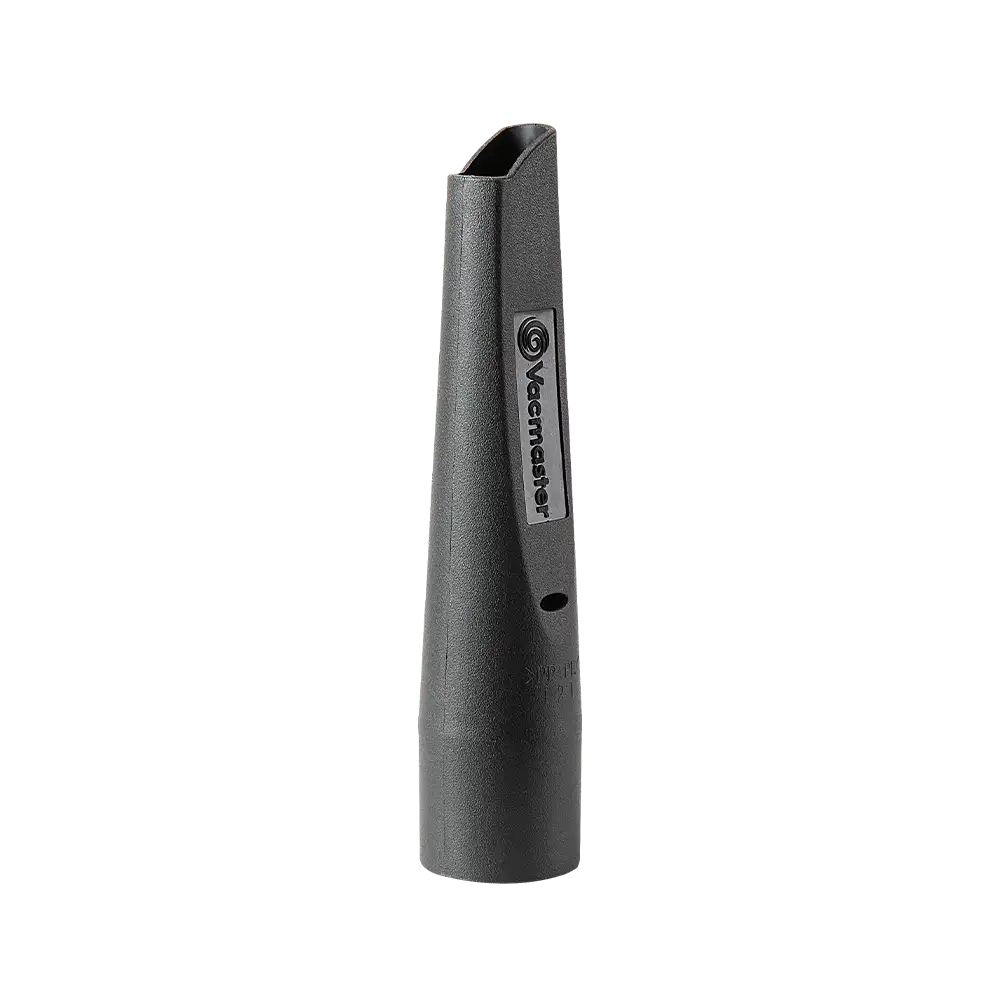
Genuine Vacmaster accessories and spare parts for your machine.
Regular price £24.99
Regular price £11.99

Regular price £19.99

Regular price £9.99

Regular price £29.99

Regular price £19.99

Regular price £9.99

Regular price £19.99
We stock a wide range of spare parts if you'd like to repair your machine, rather than replace it. If you can't find the part you are looking for in the accessories section above, please get in touch with us. For safety, certain parts may not be available individually, but as part of a combined unit.
FAQ
1. Recline the floorhead to engage the brush roll.
2. Slide the switch on the handle to the Carpet or Hard Floor setting. The brush roll will not spin in the Brush Off setting.
3. If the brush roll status light is red there may be a jam in the brush roll. Switch off and unplug the vacuum cleaner. Check the brush roll for blockages.
4. The thermal protector has activated. Switch off and unplug the vacuum cleaner. Allow to cool. Check the floorhead, hose, wand and handle for blockages.
We recommend cleaning the foam and felt filters every month. Clean the HEPA filter as needed. Rinse in cold water and allow to air dry for at least 24 hours before reinstalling. A spare filter kit is provided, so you always have a clean set ready to go.
This issue can be caused because:
1. The dustbin is installed incorrectly.
2. The HEPA exhaust filter is installed incorrectly.
3. The foam filter, felt filter or HEPA exhaust filter need replacing.
The switch on the handle controls the floorhead’s brush roll speed. Adjust the brush roll speed for different surface types, such as carpet, hard floor or delicate surfaces.
CARPET: Brush roll spins fast
HARD FLOOR: Brush roll spins slower
BRUSH OFF: Brush roll does not spin. Ideal for delicate surfaces.
Learn
3 Min Read
2 Min Read

2 Min Read
Support
We’re here to empower you with the knowledge and solutions to make the most of your machine, and to support you when you just need a helping hand. Our friendly, UK based, customer service team are here to help.
This Vacmaster appliance comes with a 3-year guarantee upon registration.
Free and Fast Delivery:
We offer free delivery on all UK mainland orders* and free next working day delivery on all orders that include an appliance.
Orders for spare parts and accessories are despatched via a 48hr standard delivery service.
* Delivery charges apply for addresses in the Channel Islands, Northern Ireland, Isle of Scilly and Man.
Returns:
We hope that you are happy with your purchase but if that's not the case, unused, undamaged products can be returned for a refund within 30 days of receipt.
Our aim is to keep it personal. Our friendly UK based customer service team are there if you need a helping hand.
Sign up to our mailing list and get 10% off your next purchase (maximum discount £20), plus access to exclusive benefits including: